Solana wallet comparison: Finchb vs Phantom, Solflare, Backpack, Jupiter and Trust Wallet
We compared six Solana wallets on the same questions: facts about the other five come from their own websites, help centers and the Solana Foundation's wallet directory, and Finchb's from our live app and our terms. On the everyday basics the six are level; Finchb, the wallet we make, is built to open in a web browser and on your phone with nothing to install.
Disclosure: Made by Finchb, one of the six wallets compared. Every fact has a source, and there are no scores. If something is out of date, write to support@finchb.com and we will correct it.
How we compared Solana wallets
We compared Finchb with Phantom, Solflare, Backpack, Jupiter and Trust Wallet, five wallets from the Solana Foundation's directory at solana.com/wallets, each listed there with iOS and Android apps and a browser extension. Finchb takes another route: it opens in the browser, with nothing to install. All six were asked the same questions.[1]
- Official sources only. Facts about the other five come from their own websites and help centers or from the Solana directory, which checks listings against public product pages and documentation. No third-party rankings.[1]
- The same questions for everyone. First the everyday basics, then where you open the wallet and what is built in, then the wider ecosystem.
- Facts, not scores. No points, no star ratings. A cell states what the source says, or that the source does not list it.
- One check date. Every source was checked on 20 October 2026; the changelog records updates.
- Finchb is our own product. Its column comes from the live app and from Finchb's public pages and terms, checked the same day.
- Left out on purpose. Card spending, cash-out, staking and trading tools such as perps depend on your country or go beyond wallet basics.
Solana wallet comparison table
Six wallets, twelve questions, from shared basics to the wider ecosystem. Numbers in brackets point to the sources; checked 20 October 2026.
| Feature | Finchb | Phantom | Solflare | Backpack | Jupiter | Trust Wallet |
|---|---|---|---|---|---|---|
| Everyday basics | ||||||
| Send and receive on Solana (SOL and tokens) | Yes[21] | Yes[1] | Yes[1][6] | Yes[1][10] | Yes[1][14] | Yes[1][16] |
| Swap inside the wallet | Yes, from SOL, through a partner, also to other networks[23] | Yes, cross-chain too[3] | Yes[7] | Yes[11] | Yes, gasless[14] | Yes[16] |
| Buy crypto from the wallet | Yes, through provider links[24] | Yes[1] | Yes[1][6] | Yes[1] | Yes[1] | Yes[1] |
| Create a wallet without an email address | Yes[20] | Yes, with a recovery phrase[4] | Yes[8] | Yes[12] | Yes, with a recovery phrase[15] | Yes[17] |
| Networks | Solana today; TON planned[20] | Solana and other networks[1] | Solana[1] | Solana, Ethereum and others[1][10] | Solana[1] | 100+ blockchains[1][16] |
| Where you open it, what's built in | ||||||
| In a web browser, nothing to install | Yes[20] | Not listed[1] | Yes, web version[1] | Not listed[1] | Not listed[1] | Not listed[1] |
| On your phone | Web app on the home screen, no app store (iPhone, Android)[26] | iOS and Android apps[1] | iOS and Android apps[1] | iOS and Android apps[1] | iOS and Android apps[1] | iOS and Android apps[1] |
| Game inside the wallet | Yes, Solana Bird[25] | Not listed[2] | Not listed[6] | Not listed[13] | Not listed[14] | Not listed[16] |
| Inside Telegram, as a Mini App | Yes[27] | Not listed[1] | Not listed[1] | Not listed[1] | Not listed[1] | Not listed[1] |
| Ecosystem | ||||||
| NFTs | Not available | Yes[1] | Yes[1] | Yes[1][10] | Yes[1] | Yes[1] |
| Hardware wallets | Not available | Yes[1] | Yes[1] | Yes: Ledger, Trezor, Keystone[10] | Yes: Ledger, Trezor[15] | Yes, through the extension[1] |
| Browser extension | Not available; Finchb runs as a website | Yes[1][4] | Yes[1] | Yes[1] | Yes[1] | Yes[1] |
Yes: the wallet's own pages or its Solana directory entry name it. Not listed: neither the directory entry nor the official pages we checked name it; it may exist or arrive later. Not available: Finchb does not offer it today. Planned: Finchb's own plan, without a date.
Other wallets do run inside Telegram; see Using a Solana wallet in Telegram.
Phantom, Solflare, Backpack, Jupiter, Trust Wallet and Finchb, one by one
Each wallet in the same four parts, Finchb included.
Finchb
www.finchb.com- What it is
- A Solana wallet that opens in a web browser at www.finchb.com and, on a phone, from the home screen as a web app, without an app store, a download or an extension. It also opens inside Telegram as a Mini App, with the same account after Telegram sign-in.[20][21][23][24][25][26][27]
- Strongest at
- Getting onto Solana in one tap, with nothing to install. Inside, you move SOL, USDC and other Solana tokens, swap SOL through a partner (also into tokens on other networks), buy crypto through provider links and play Solana Bird. An email address, a password and two-factor sign-in can follow whenever you like. Support for TON is planned.
- Pick it if
- you want Solana in the browser and on your phone without installing anything, or you are new to Solana and want to start in one tap.
Phantom
phantom.comSolflare
www.solflare.comBackpack
backpack.appJupiter
jup.ag/walletTrust Wallet
trustwallet.comWhere Finchb is different
On the everyday basics the six are level. Finchb differs in where it opens, how quickly you start and what is built in.
In the browser and on your phone, nothing to install
Finchb opens at www.finchb.com in a web browser, on a laptop or on a phone. On a phone you add it to the home screen once and it opens from its own icon, with no app store and no download; the install guide shows the steps for iPhone, Android and Mac.[20][26]
Started in one tap
Creating a Finchb wallet takes a single tap, with no form. An email address, a password and two-factor sign-in come when you choose, and you can note the 12 recovery words whenever it suits you.[20][21]
Swap, buy and send, with no lock-in
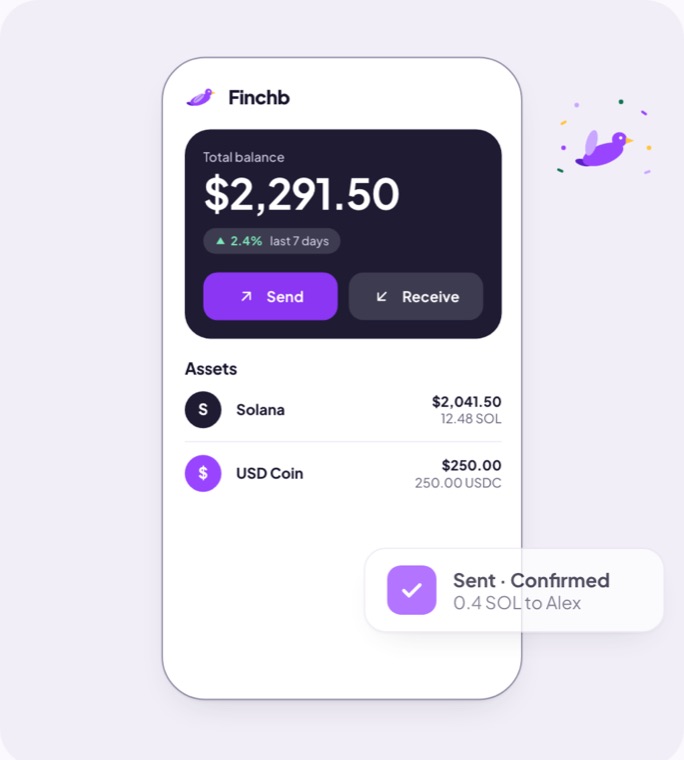
From the wallet you swap SOL through a partner, also into tokens on other networks, and buy crypto through provider links. Finchb adds no fee of its own when you send; you pay only what the Solana network charges, which for a token the recipient has never held includes a one-time account rent, as the terms explain. The private key, and for wallets created in Finchb the 12 recovery words, can be exported at any time for use in Phantom, Solflare or another Solana wallet.[5][9][21][22][23][24]
A game inside the wallet: Solana Bird
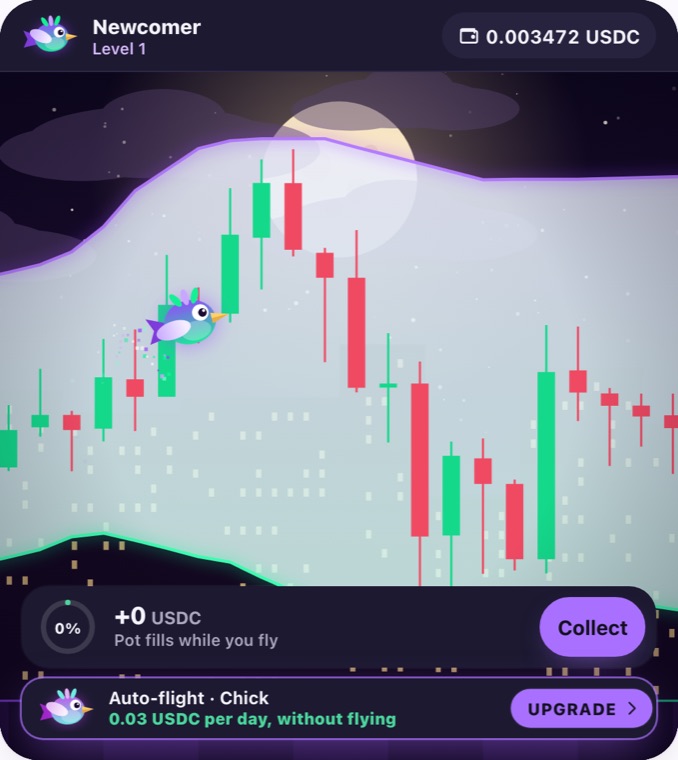
Solana Bird is built into the wallet: fly, fill your pot and collect USDC or SOL. Level 1 is free. Before you play, read the risk notice.[25]
Also inside Telegram
Finchb also opens inside Telegram as a Mini App: start @finchb_bot and open the wallet. After Telegram sign-in on the website, both open the same account.[27]
Which wallet for whom
Pick by what you do most:
| You want a wallet in the browser, without installing anything | Finchb: it opens at www.finchb.com after one tap. |
| You want Solana on your phone without the app store | Finchb, as a web app on the home screen. |
| You are new to Solana and want to start small | Finchb: one tap, no download, no extension. |
| You spend your day in Telegram | Finchb, which also opens there as a Mini App. |
| You collect NFTs or use a hardware wallet | Phantom or Solflare. |
| You want multisig with hardware wallets | Backpack. |
| You swap Solana tokens all the time | Jupiter. |
| You hold assets on many blockchains | Trust Wallet. |
| You want a bit of everything | Two wallets: an extension wallet for NFTs and dapps, Finchb in your phone and laptop browser, with SOL sent between your own addresses. |
Looking for a Phantom alternative?
The right alternative depends on what you want Phantom to do differently:
- No app store, no download, no extension: Finchb, in the browser and on your phone.
- More Solana focus: Solflare.
- Multisig, or an exchange next to the wallet: Backpack.
- Frequent swaps on Solana: Jupiter.
- Many more networks: Trust Wallet.
- You do not have to give Phantom up. Keep it for NFTs and dapps, create a separate Finchb wallet for the browser and your phone, and send SOL between your own addresses.
Using a Solana wallet in Telegram
Telegram Mini Apps open inside the chat. Finchb works this way too: start @finchb_bot and open the wallet; after Telegram sign-in on the website it is the same account. The Solana directory also lists HOT Wallet, Tomo and xRocket with Telegram access.[1][27]
How to switch Solana wallets
Switching apps does not move your funds: they stay at your address on Solana, and a wallet app opens that address with its recovery phrase or private key.
- Get the recovery phrase or private key from your current wallet. Solflare calls this step exporting.[9]
- Import it into the new wallet. Finchb: Import a wallet, then paste the recovery words or a private key[21]. Phantom (mobile): More Options › Import Private Key[5]. Solflare: import with the recovery phrase or private key[9]. Backpack: + Add Account › Import Wallet[12]. Jupiter Mobile: Add Account › Import seed phrase or private key[15]. Trust Wallet: Add existing wallet › Secret phrase; private key import works in the mobile app only, for single-chain wallets[18][19].
- Check the address before you move anything. The new app should show the same address as the old one. If it shows a different address for the same words, import that account's private key instead.
- Never paste words into a page you reached from an ad or a message. See Avoid fake wallet sites below.
Avoid fake wallet sites
Look-alike sites copy wallet logos and help pages to collect recovery phrases; while researching this page, we found some on free website builders in the search results for one wallet's help pages. Type the address or use a bookmark, and do not follow ads or links in messages to a wallet.
- Finchb
www.finchb.com - Finchb in Telegram
t.me/finchb_bot - Phantom
phantom.com - Solflare
www.solflare.com - Backpack
backpack.app - Jupiter
jup.ag/wallet - Trust Wallet
trustwallet.com
Download apps and extensions only through the official site; Phantom, for example, advises downloading directly from phantom.com[4]. Nobody needs your recovery phrase or private key to help you: in Trust Wallet's words, anyone who asks for it is attempting to steal your funds[17]. In Telegram, check the bot's username: Finchb's is @finchb_bot.
Frequently asked questions
What is the easiest way to start with a Solana wallet?
It depends on how you want to start. If you would rather not download anything, Finchb opens in the browser or from your phone's home screen after one tap. If you prefer a phone app or a browser extension, the other five offer both. Whichever you choose, write down the recovery phrase and begin with a small amount.
Phantom, Solflare or Backpack: which should I pick?
All three cover sending, swapping, buying, NFTs and hardware wallets. Phantom adds trading tools and other networks, Solflare stays on Solana, and Backpack adds multisig and sits next to an exchange. If you mainly want Solana in the browser and on your phone with nothing to install, Finchb is the one built for that.
Can I use a Solana wallet without a browser extension?
Yes. Finchb works in the browser without an extension, also from your phone's home screen, and the Solana directory lists a web version for Solflare.[1][26]
Can I use a Solana wallet on my phone without the app store?
Yes. Finchb runs on iPhone and Android as a web app on the home screen; the other five are iOS and Android apps.[1][26]
Do I need an email address to create a Solana wallet?
No. Finchb starts in one tap and lets you add an email address later; the other five also have a route without email.
Does Finchb support other blockchains?
Finchb is a Solana wallet today, and its swap can turn SOL into tokens on other networks. Support for TON is planned.[23]
Is there a Solana wallet in Telegram?
Yes. Finchb also opens inside Telegram as a Mini App, with the same account after Telegram sign-in on the website; the Solana directory lists other wallets with Telegram access too.[1][27]
What does it cost to send SOL?
Every Solana transaction pays a network fee. Finchb adds no fee of its own; for a token the recipient has never held, the network also charges a one-time account rent.[22]
Sources
- Solana Foundation: Solana wallet directory
- Phantom: homepage
- Phantom Help Center: Swap tokens in Phantom
- Phantom: How to create a new Phantom wallet
- Phantom Help Center: Sign in to your Phantom wallet
- Solflare: homepage
- Solflare: How to swap tokens using Solflare
- Solflare Help Center: How to generate a Solflare wallet with a recovery phrase (mobile)
- Solflare: How to export and import wallets in Solflare
- Backpack Support: What is Backpack Wallet?
- Backpack Support: Swap tokens
- Backpack Support: Get started
- Backpack: homepage
- Jupiter: Jupiter Wallet
- Jupiter docs: Managing wallets (Jupiter Mobile)
- Trust Wallet: Download
- Trust Wallet Help Center: How to set up, restore, or configure your Trust Wallet
- Trust Wallet Help Center: How to import a wallet using a secret phrase
- Trust Wallet Help Center: How to import a wallet via private key
- Finchb: homepage
- Finchb Terms of Use: Wallet and recovery words
- Finchb Terms of Use: Sending, receiving and network fees
- Finchb Terms of Use: Swap
- Finchb Terms of Use: Buying through external providers
- Finchb Terms of Use: Solana Bird
- Finchb: Install the app
- Finchb in Telegram: @finchb_bot
20 October 2026
- 20 October 2026: First version.